Something that I made that I’m quite pleased with.

someone who's doing some things
I’m a big fan of mobile applications. It started with the Palm OS and Windows Mobile, and has continued with iOS and Android. Who knows where mobile apps will go to next, it’s a journey, and an interesting one at that. If you’re looking for more on mobile apps then also check out the menu sections for pages on specific apps and things I’ve done with them.
Something that I made that I’m quite pleased with.
I’ve written a bit about Drafts before. It’s had a massive overhaul and added a load of new functionality. I’ve only had a brief play with the new features, and whilst they seem quite useful, it still isn’t the level of automation I’d like to have in my device.
I’ll give it a bit more of a chance, but it doesn’t go far enough.
Something new from me …
Actions for iPad presents as another interesting possibility for automating things. This time automating the use of your Mac from your iPad. Here’s what the app store description says:
Control your computer applications in the best way, your way.
Advanced but incredibly simple to use, Actions is a revolutionary app that lets you interact more naturally with your computer, thanks to your beloved iPad.
You can send a wide variety of commands (see the list below) to any software with a tap and create your personal palette for each one. Your most used actions will be always lying directly at your side, handily and neatly organized in Sets and Subsets.
Each Set is completely customizable with different colors and many icons (+900!), and contextual aware: change app on your computer and your iPad will always show you the right set of actions, it’s automagic!
Actions covers universal digital needs: you can both improve and streamline you workflow with massive softwares as Adobe Suite’s and idly control your everyday apps with ease, or even iTunes remotely from the warm side of your sofa.
Direct manipulation and instant feedback lets you save time and frustrations, transforming your digital experience in something new, closer to the future of computer interaction.
Compose your palette choosing from a wide variety of actions:
MAIN FEATURES
Ableton Live, Adobe After Effects, Adobe Illustrator, Adobe Indesign, Adobe Lightroom, Adobe Photoshop, Aperture, Evernote, Excel, Internet Explorer, Final Cut, Finder, Firefox, Garageband, Chrome, iCal, iMovie, iPhoto, iTunes, Keynote, Logic Pro, Mail, Notes, Numbers, Outlook, Pages, Pixelmator, Powerpoint, Reeder, Reminders, Safari, TextEdit, Vlc, Word, Windows 7, Windows Vista, Windows XP, Windows Media Player.
I’m going to see what it can do as it’s only £2.49, which isn’t much more than a coffee, so it’s not like it’s a big investment. Also, the developers have an interesting feature in the works involving macros which could be really useful.
I read about this app, Pythonista and how much you could do with it, so I finally buckled and bought it. So far I’ve only got to take a look at the sample code that comes with the app, and that’s quite impressive. However, what I’m really interested in is the ability of this app to effectively script iOS.
I think my next step will be to take a look in the forums and see what other people have made with Pythonista. When I’ve got a clearer idea of what’s possible I’ll write something again.
Launch Center Pro from App Cubby on Vimeo.
Even though I can see it is useful I’m still not completely sold on it. But perhaps I need to find some better uses for myself.
This is another automation app that I got that without really knowing what I was going to use it for. However, it’s been updated and added a load of new stuff. Here’s what they loaded it up with:
So that all looks really cool. However, having dug around in there for a bit longer I’m still none the wiser about how I can use this in a constructive way! I’d really like to find ways to make use of this automation, although there isn’t a huge amount of automation available. It is still at the periphery. Still, I want to give it a go and see if I can make any active use of it.
I’ve had this app for a week or so now and although it has some amazing functionality I’m still not entirely sure what I want to do with it or how it’ll ever be useful. It’s sort of in the ‘solution in search of a problem’ camp.
The app itself has a huge amount of functionality to it. It’s able to share text and mark up to a very wide number of services and can be configured very easily to do this. So much so that I actually made a little search function for drafts that allows you to send a piece of text into Palm Sounds (blog) and search the entire site with that text. It’s pretty simple. The search URL is:
https://www.google.com/search?q=site:palmsounds.net+%5B%5Bdraft%5D%5D
Yep, that’s all there is to it. You put that into drafts and you can send any text to search Palm Sounds.
So that’s all well and good, but, what’s it for? What can I use it for? The short answer is I haven’t really thought of a reason as yet. Which is a bit of a shame as I think this is a clever app.
When I think of one, I’ll let you know.

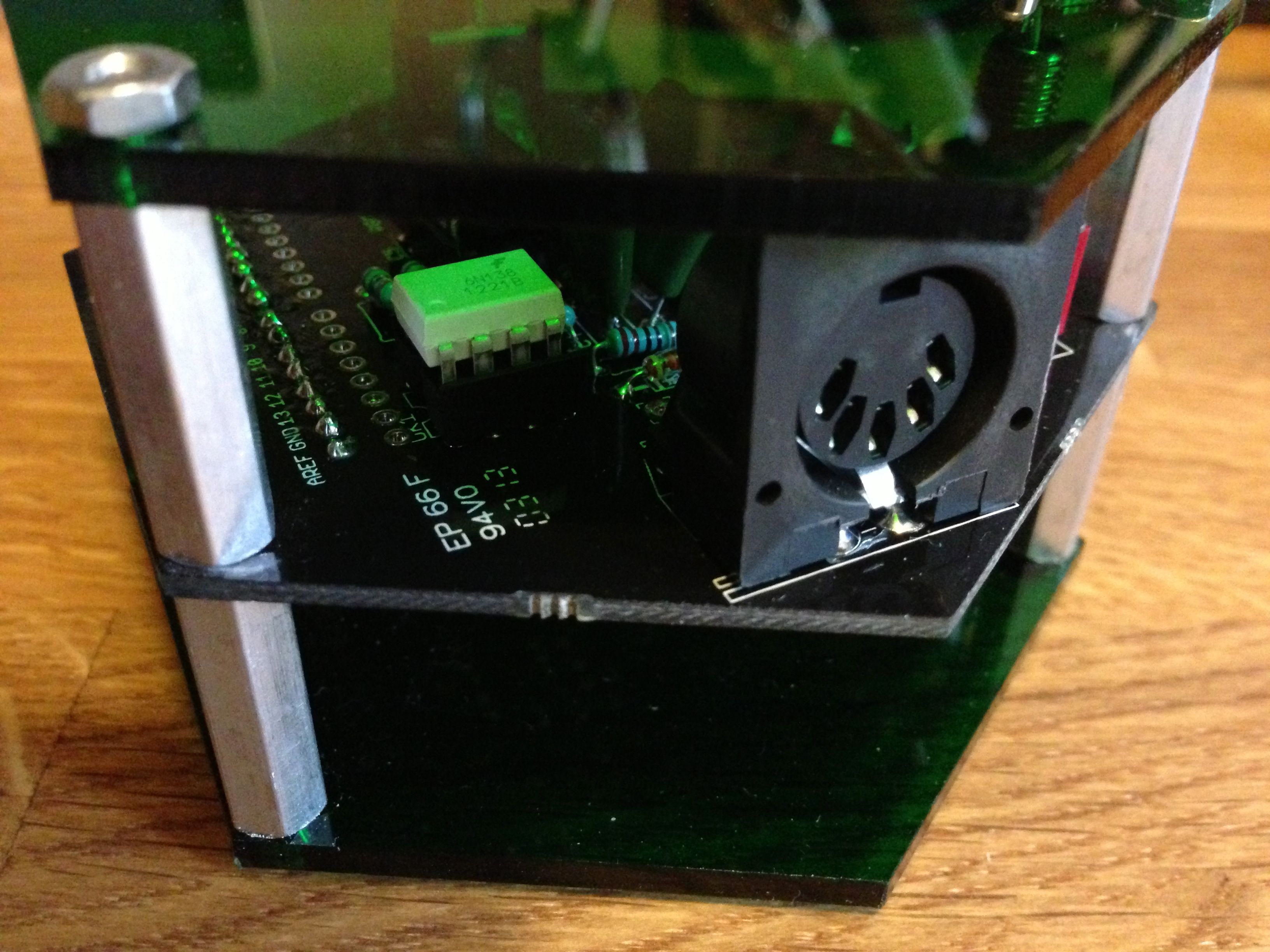
I’ve been thinking about this now and trying to decide how I’d use the MIDI on the molecule synth. It doesn’t really work in the way I’d expected, but nevertheless it’s still quite an interesting feature to play with.
My plan will be to use either Lemur or TouchOSC to control the module over MIDI, but the first choice is what kind of synth to load into the MIDI module?
Mozzi would be an obvious choice, but to start with I think I’ll go with the stuff that’s in the manual.
 I am Ashley Elsdon