
Pressure

Light sensor

Slider

Mic input
someone who's doing some things
Technology. We all use it, we all love it. We all hate it.
For a while now I’ve been having issues with my iPhone 5’s. Basically the battery life has been getting progressively worse over the last few months until now it will barely last a whole day with minimal use. This is not good. I know that battery life on these devices is never ‘good’, but this is moving along a path to unusable. The device is over a year old, and I suppose you could say that I’ve used it pretty heavily over that year. So maybe it’s just to be expected. I don’t know.
What I can tell you is that my current solution is to use a portable battery for my iPhone. Apparently this battery should last me for about 4 or even 5 charges. That’s what it says it’ll do anyway. My plan is to test it tomorrow and see how both devices get on with each other.


Looking forward to playing with these.


It’s just starting to come together.
I found a new app that I’m hoping will really help with some of my aspirations for automating things in iOS. It’s called Unread.
Here’s the app’s description (which I’ve edited down a bit):
Rediscover the joy of reading your favorite writers with Unread, an RSS reader for iPhone.
Unread will surprise and delight you in many ways, but that’s not important. What is important is that Unread will help you find a little peace each day through quiet, careful reading.
FULL-SCREEN READING
Focus on the act of reading with Unread’s full-screen article view. Articles are typeset in beautiful fonts from Hoefler & Co. Let nothing stand between you and the words of your favorite writers except a thin sheet of glass.
DESIGNED FOR COMFORT
Move anywhere in the app with a sweep of your thumb, all without having to reposition your hand. Unread’s stacked navigation was built from scratch to be the most comfortable interface you’ve ever used. Flick left-to-right to go back from anywhere on the screen, just like dealing a deck of cards. Tug any screen right-to-left to show options for that screen — just like pull-to-refresh, but sideways.
MULTIPLE THEMES
Like to read in bed? Don’t wake up your partner with glaring white light. Unread has multiple themes designed to make it easy to read under daytime or nightime lighting conditions. There are several fun hidden themes, too.
SHARE THE GOOD STUFF
You shouldn’t have to struggle to send articles to the places you like best. Apps should do that hard work for you. Share your favorite articles via the rich options built with OvershareKit, an open-source sharing library for iOS. OvershareKit was born inside of Unread, and is being discovered by more apps all the time.
SO MUCH TO LOVE ABOUT UNREAD
What the description doesn’t really go into enough is that it is integrated with Drafts and is, as far as I can see, a reasonable step in the right direction in automation terms. So I’m going to try this out and see if it takes me in the right direction. We’ll see.


Something I have relied on for a while now is IFTTT (if this then that). Today, it fell over. Here’s what they had to say about their issues:
Last night at approximately 10:00pm PST much of the work IFTTT does in the background stopped due to an issue with one of our backend services. Our monitoring systems would have alerted us to the problem immediately, but those unfortunately failed as well and we weren’t able to fix the issue until this morning at 10:00am PST.
Any affected Recipes should pick up right where they left off last night.
We apologize for any inconvenience this may have caused you. We know that many of you have come to depend on IFTTT in your everyday lives and we take great pride in that. A stoppage of work for this duration is unacceptable and we will do whatever it takes to ensure we get in front of these issues much faster in the future.
As always with this kind of thing you know that it’s going to get sorted, but waiting around is just a pain. It makes me realise that we rely on these services for so many things, or rather I do anyway, and increasingly, with the rise of the internet of things, these services extend themselves into the real world too.
The main reason for this is for keeping an eye on various repositories of Pythonista and other iOS automation stuff. So, if you’ve got something you think I might be interested in then please let me know. Here’s a link to my GitHub profile.
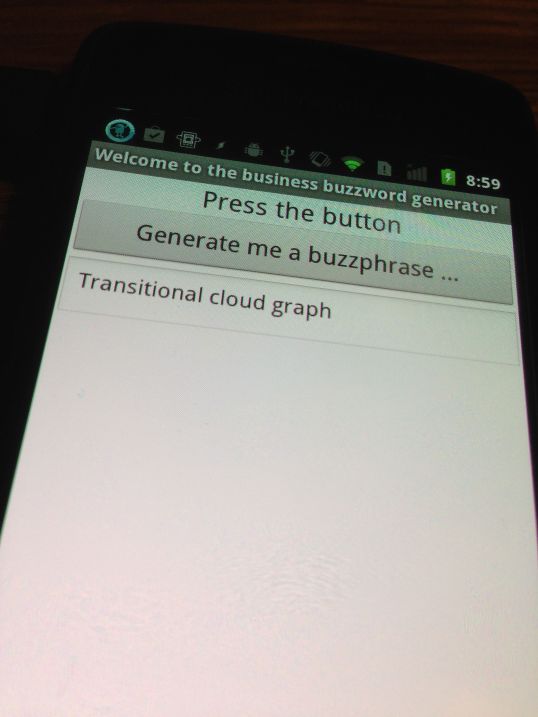
I thought it might be fun to build an Android version of this little fun web app thing. I’ve been using MIT App Inventor as it’s very easy to use, in fact, much easier than I thought it would be to make this app. So, when it’s a little bit nearer to completion I might put a video up. I haven’t decided if I want to put it on the Google Play store, or if I’ll just make it available here.
Anyway, it’ll be coming along soon enough.
It’s only a start, but I’ve published my iOS automation and resource page here. There’s only a couple of links there at the moment, but both of those are very useful indeed, and I expect to add more over time.
 I am Ashley Elsdon